Explore equipment for your inquiry
Rotary Indexing Drilling & Tapping →Review the layout options and required part information to define the scope of a custom equipment inquiry.
Use the visible table and heads as a discussion reference
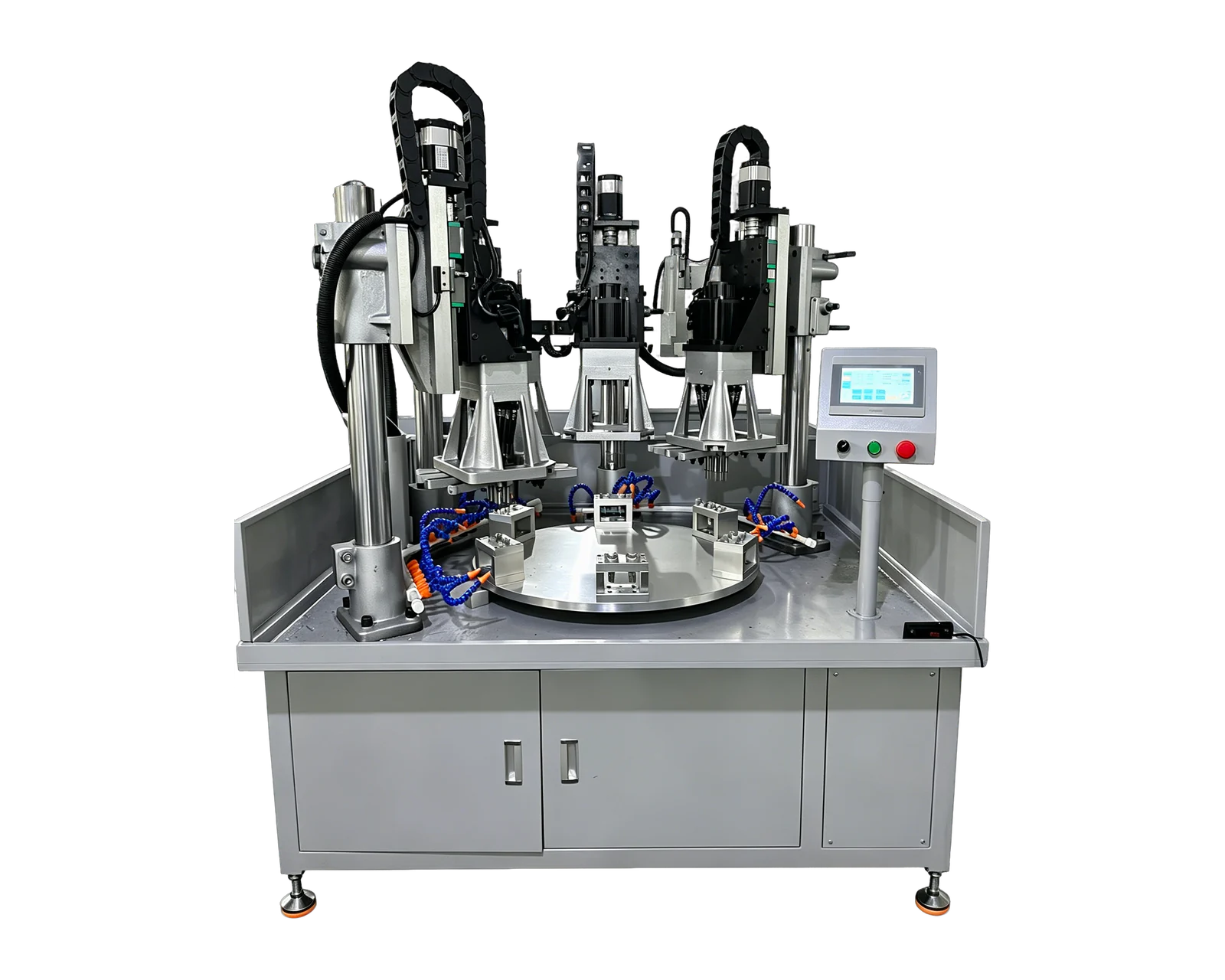
The linked BINSING rotary indexing reference shows a circular workholding arrangement and two upright machining heads. Reviewed source frames include a closer view of the table, dedicated nests and tooling above it. These observations help explain the physical concept. They do not identify every operation, prove a complete station sequence or supply an accepted production rate for a buyer's part.
Begin your inquiry with the component route rather than a requested number of stations. State which features must be completed within the proposed cell and which arrive finished. Include any required checks before discharge. The supplier can then explain a proposed station arrangement against a defined process instead of reproducing the visible layout without knowing the required output.
Follow one part through the proposed route
Assign a plain-language state to the part before and after every intended action. Examples might include loaded but unprocessed, first operation complete, ready for the next operation and accepted for discharge. These are planning labels for your application, not claims about the demonstrated machine. Link each state to the feature or check that establishes it.
This distinction matters when several workpieces occupy a rotary table. A camera view may show multiple fixtures without explaining how the machine identifies incomplete work, an empty nest or a part returned after an interruption. Put those scenarios into the review. Ask how the proposed system records the relevant conditions and what the operator is expected to do when the normal sequence cannot continue.
Create a station map before comparing layouts
Use this original worksheet to describe required actions without prescribing the final station count. A supplier may propose combining actions or assigning a separate position after reviewing the part and process. Keep the requirement visible so that a changed layout can be checked against the same expected output.
Keep operator tasks and inspection inside the scope
Record who loads and unloads, where accepted and unresolved parts go, and what access is required for those tasks. The presence of a rotary table does not by itself define automated handling. If manual tasks are proposed, ask how they fit into the operating sequence and how the final equipment arrangement will address access and safeguarding requirements.
Treat any inspection requirement as a defined task with an owner and a result. A machining completion indication is not automatically a dimensional acceptance result. Clarify whether the proposal includes an in-cell check, an external sampling process or only the interface for a later inspection step. Preserve the distinction when comparing quotations so that an omitted check does not appear as a lower equipment cost.
Request a demonstration that explains the whole route
For your application review, request an identified workpiece and an explanation of the proposed station map. The demonstration should make the start and end states clear, including handling steps that are otherwise outside the camera view. If a claim about output is needed, agree how representative operating observations and accepted-part counts will be recorded rather than estimating output from an edited clip.
Review interruption and restart responsibilities separately with the equipment supplier. Ask for the approved procedure and the evidence needed to know the state of parts remaining in the machine; do not improvise recovery from a video. Submit your drawing, operation route, quantity and inspection requirements to BINSING with this worksheet. The result should be a proposed sequence with explicit responsibilities and open decisions, ready for a meaningful quotation comparison.